

Step 1: Download Unlimited Cloud Computer, follow the steps to install
Download address: https://www.aliyun.com/product/wuying/download
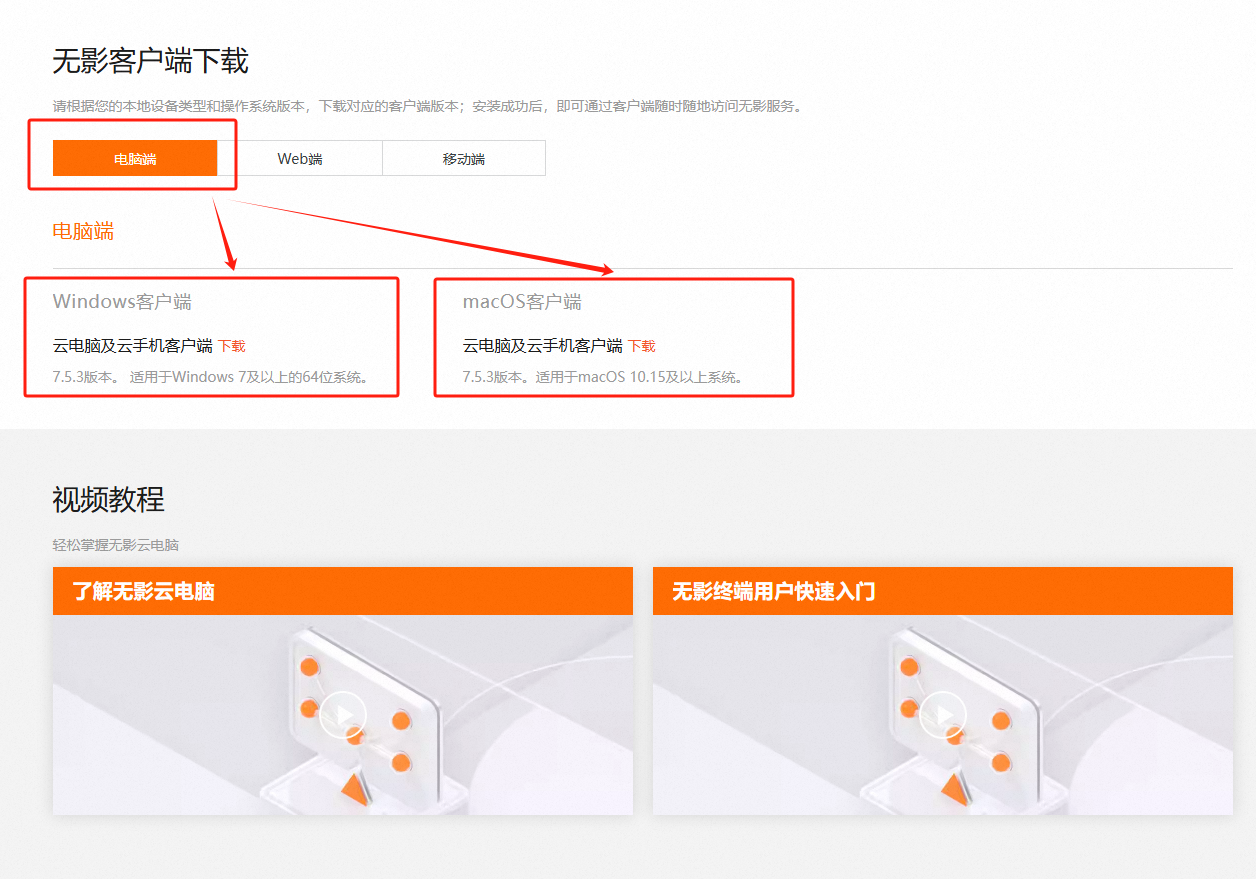
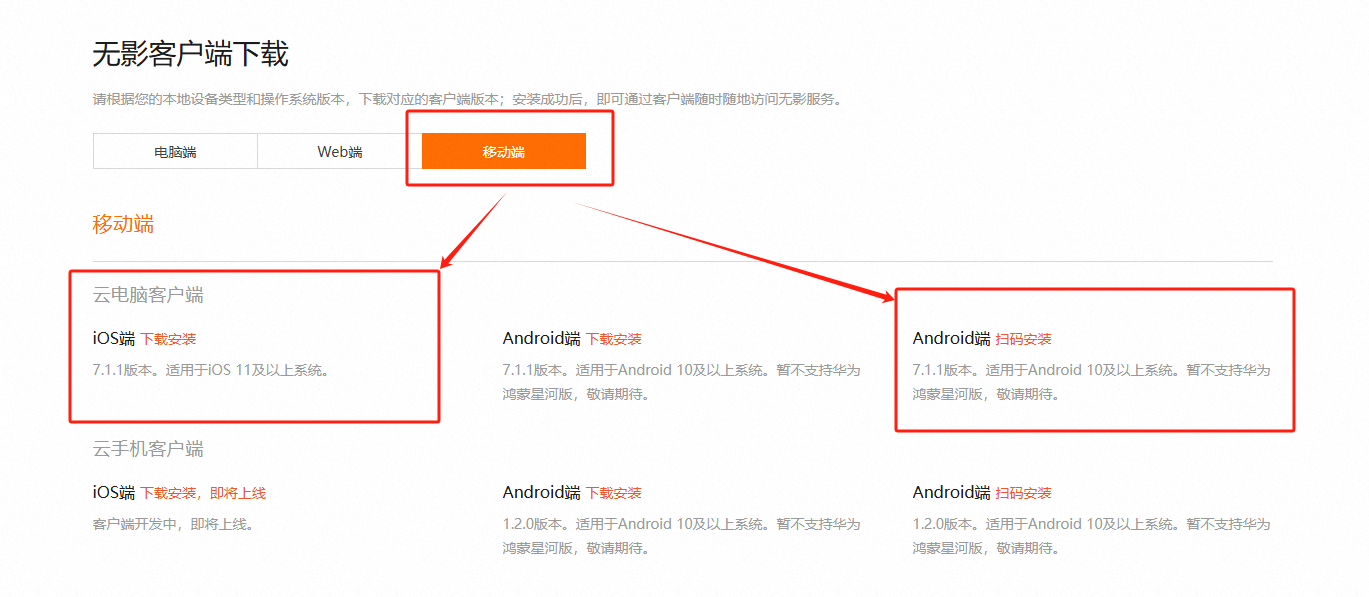
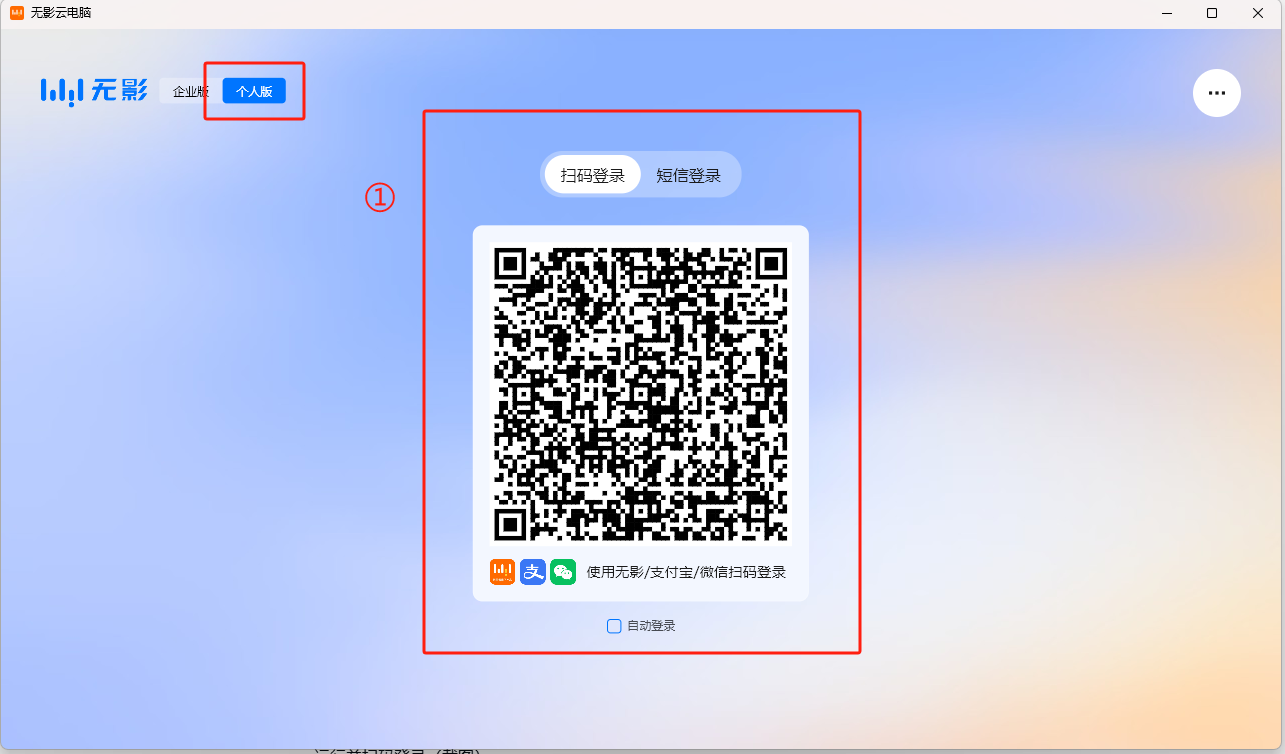
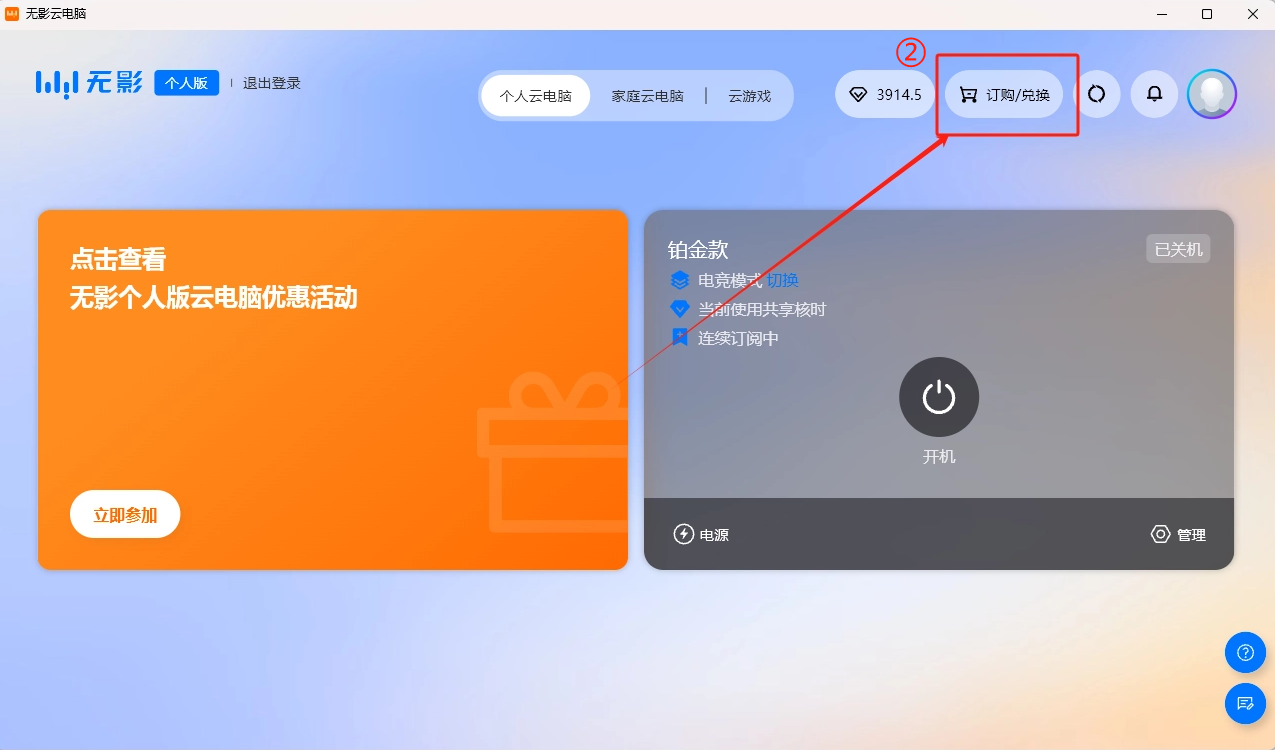
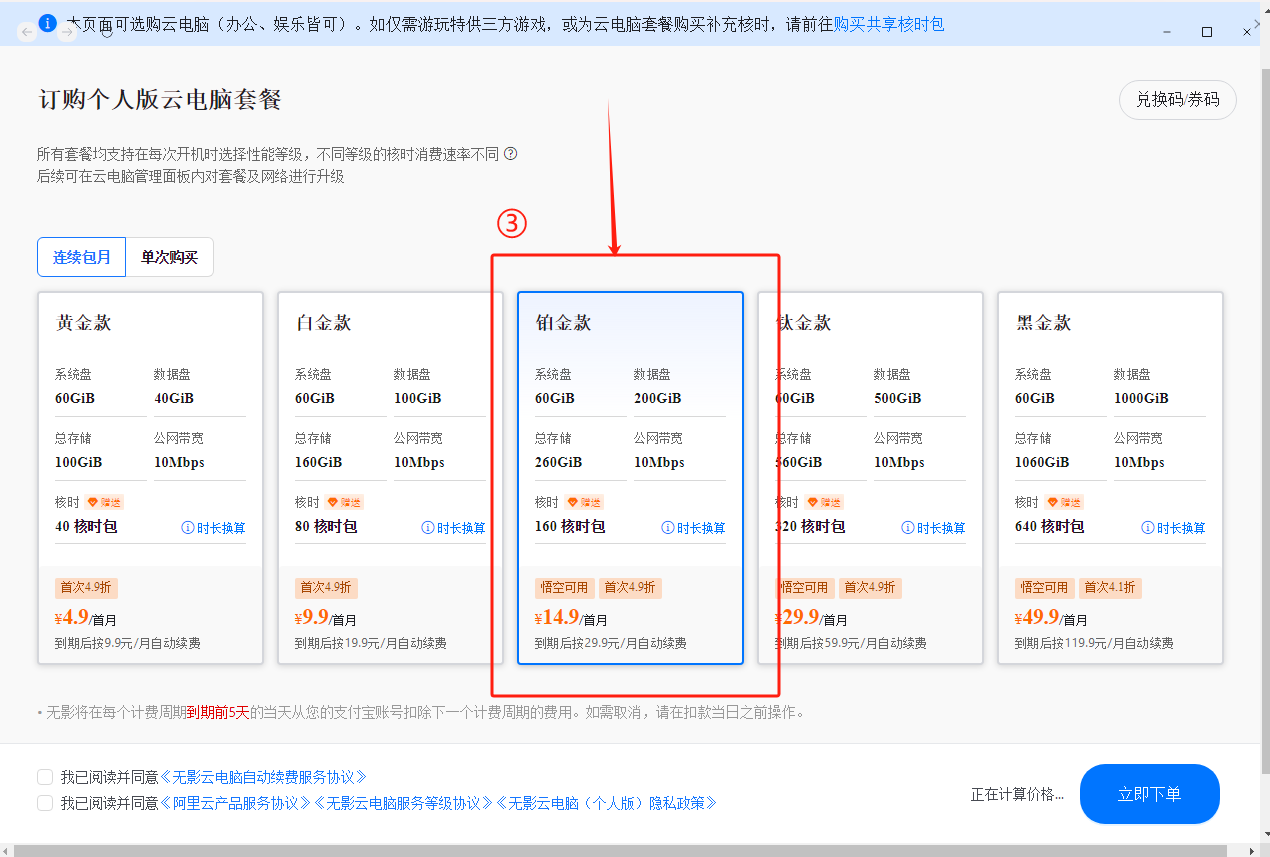
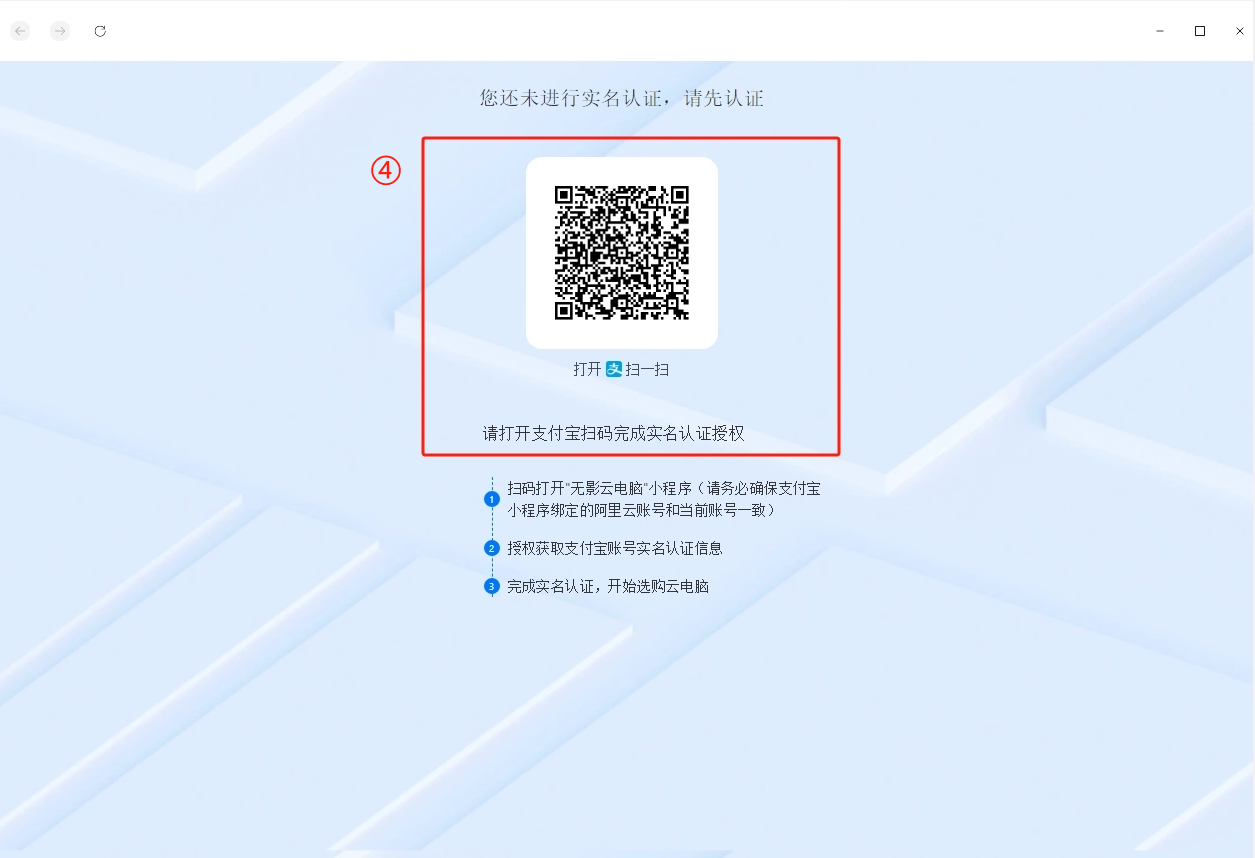
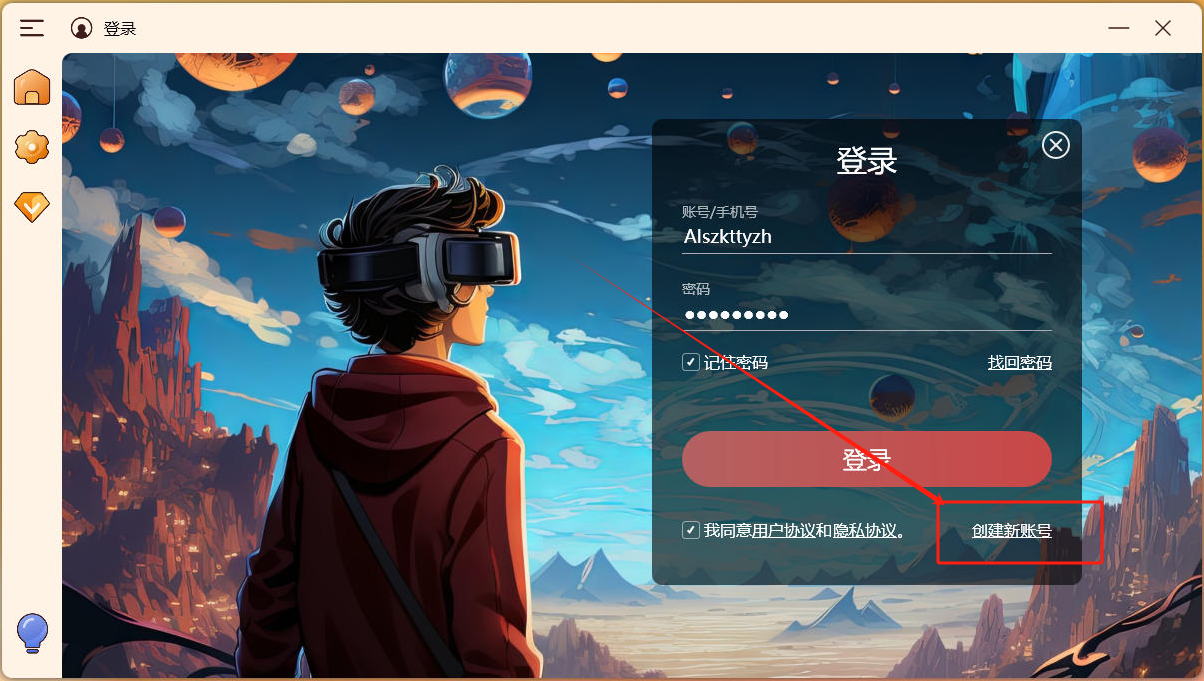
Step 2: Scan code login, real name authentication, click the top right 【Subscribe】 , select 【Platinum】 , pay the fee.
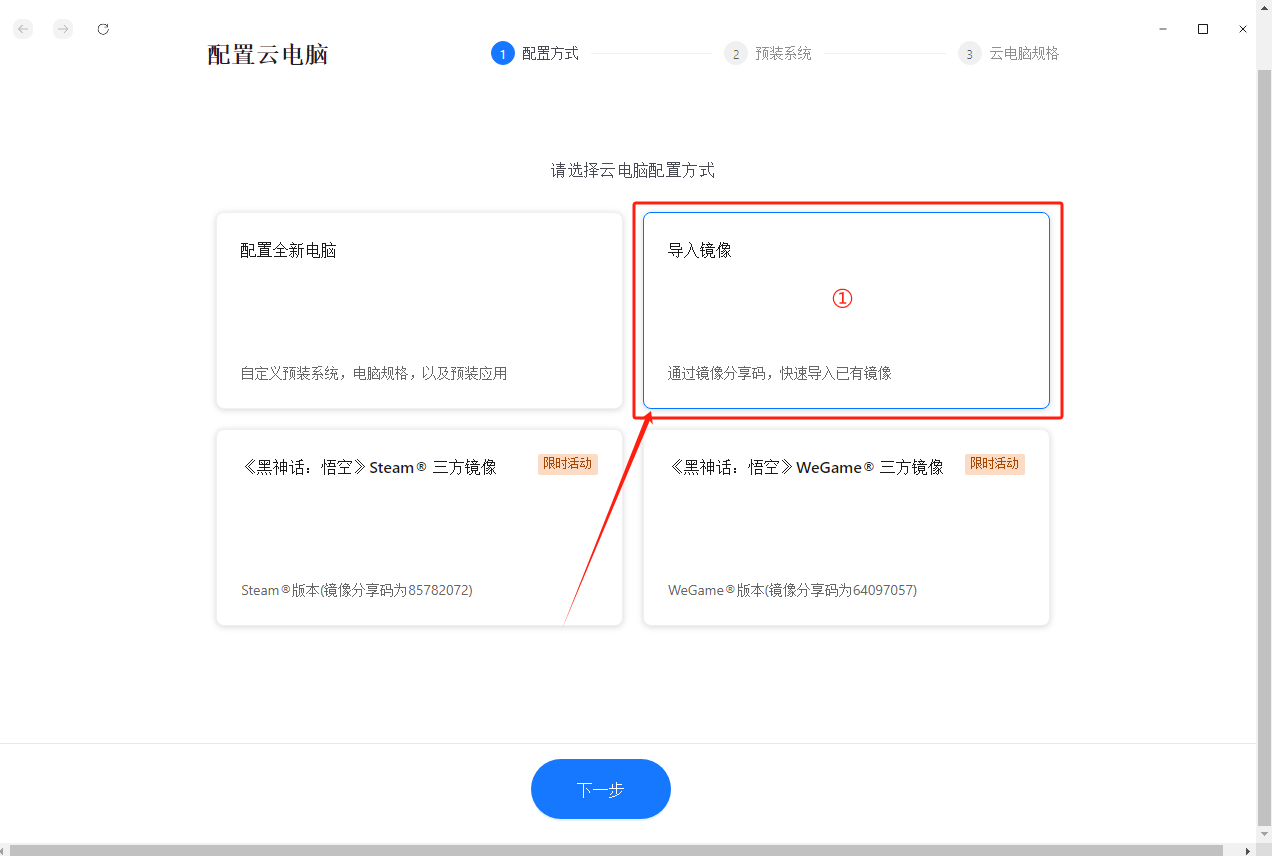
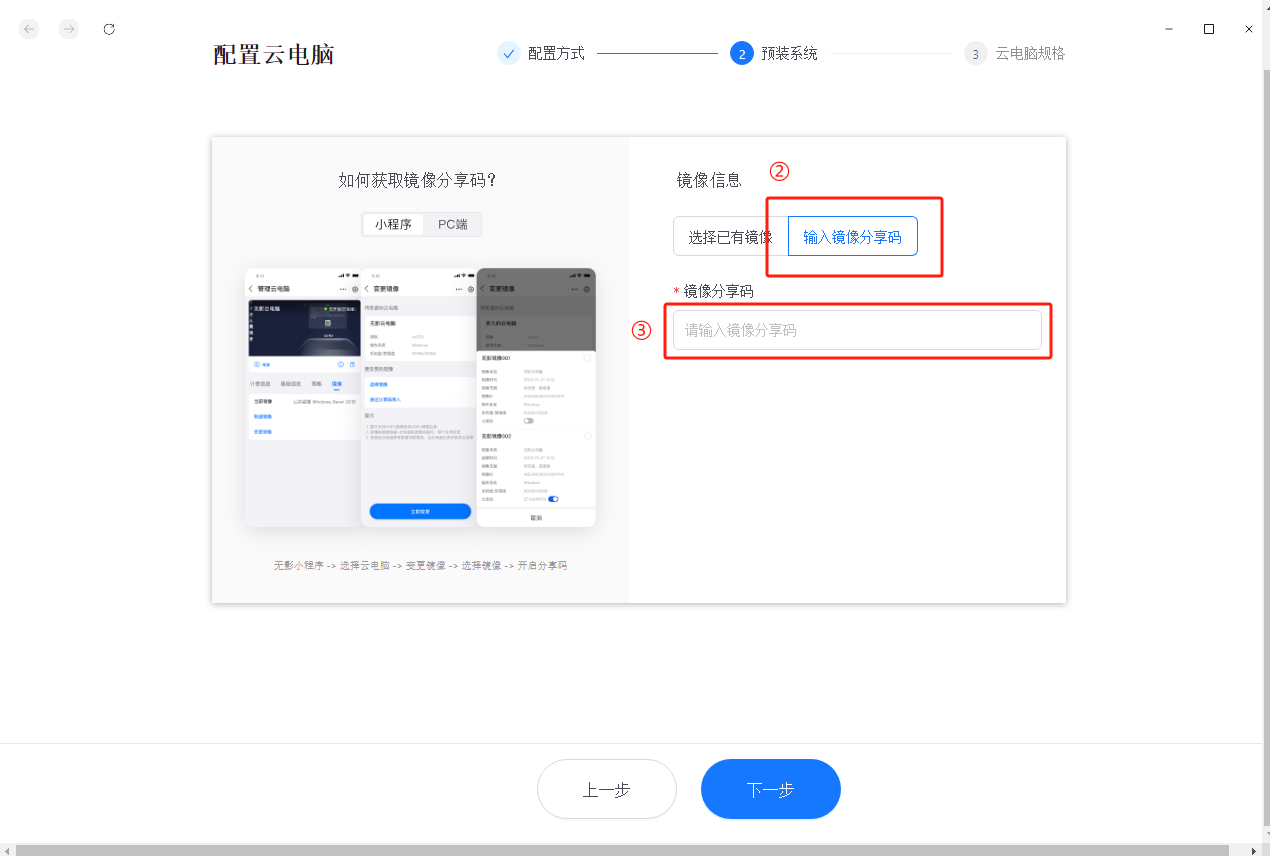
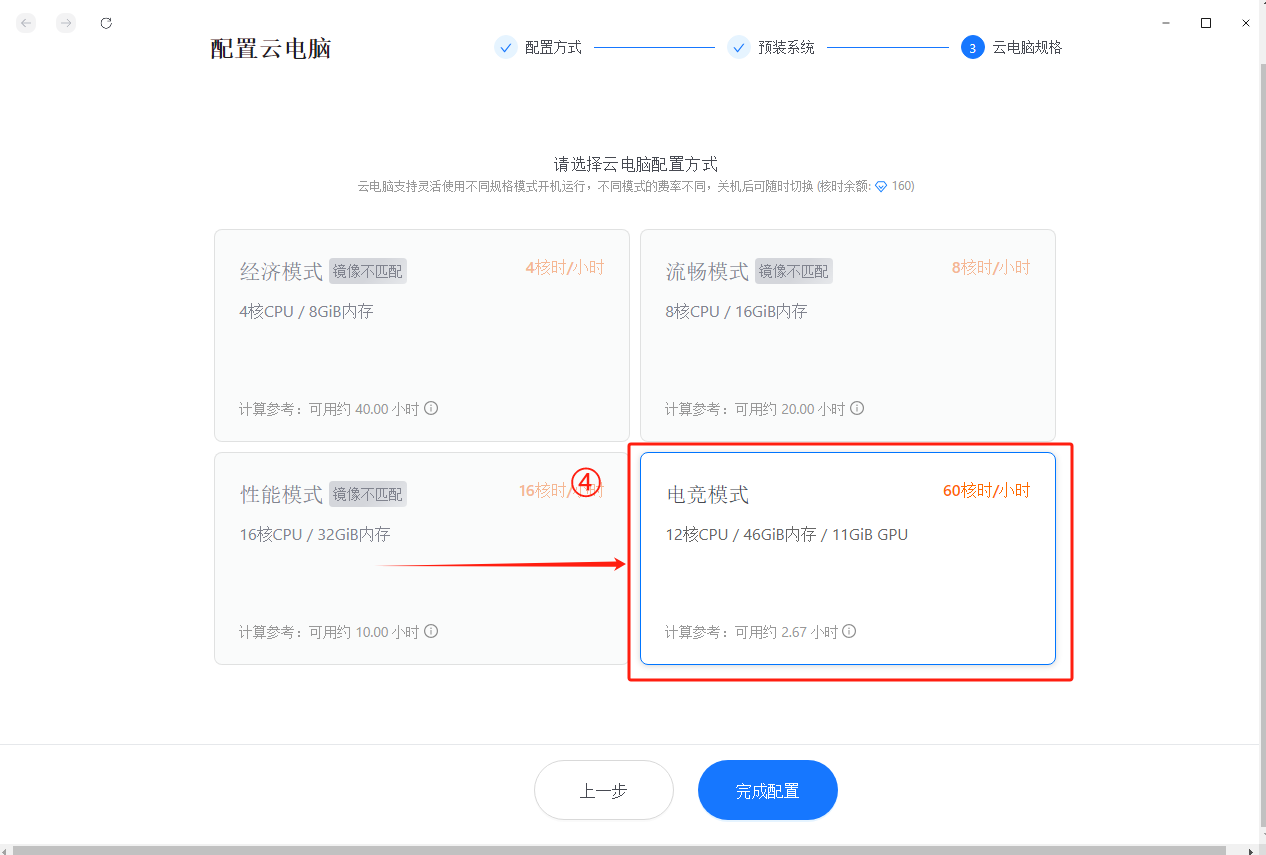
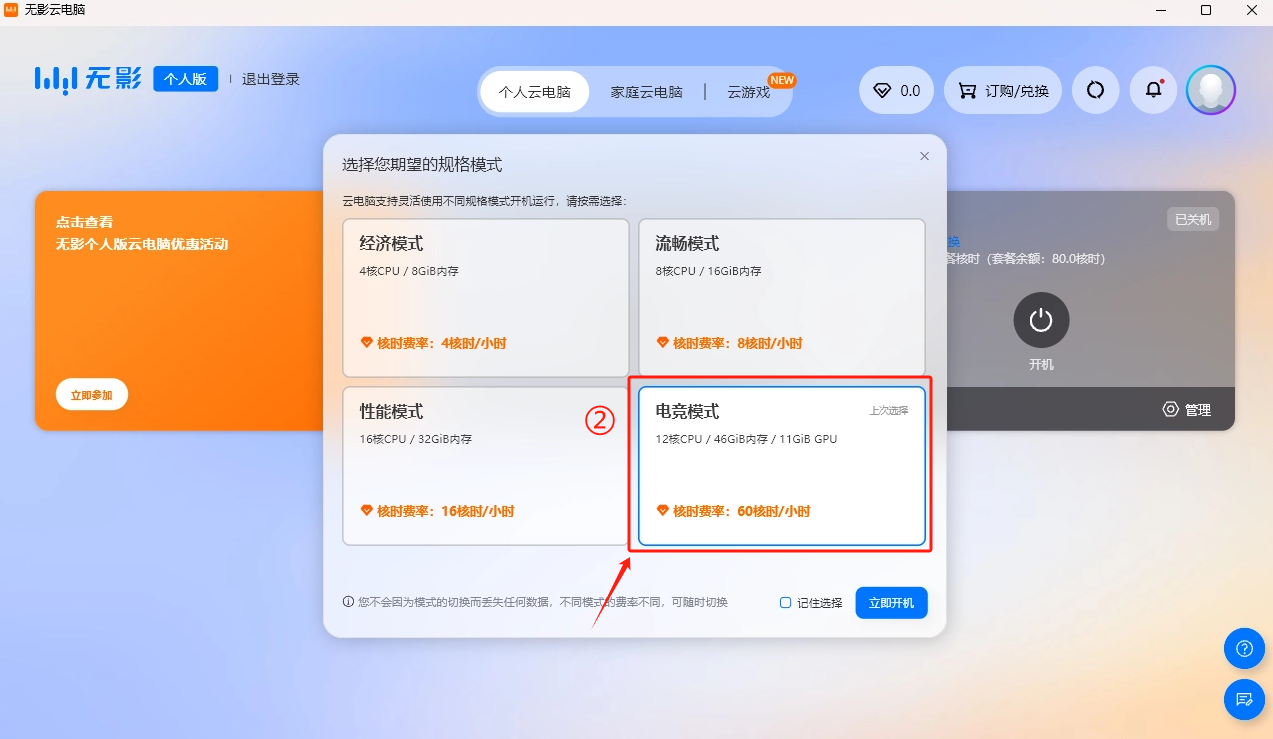
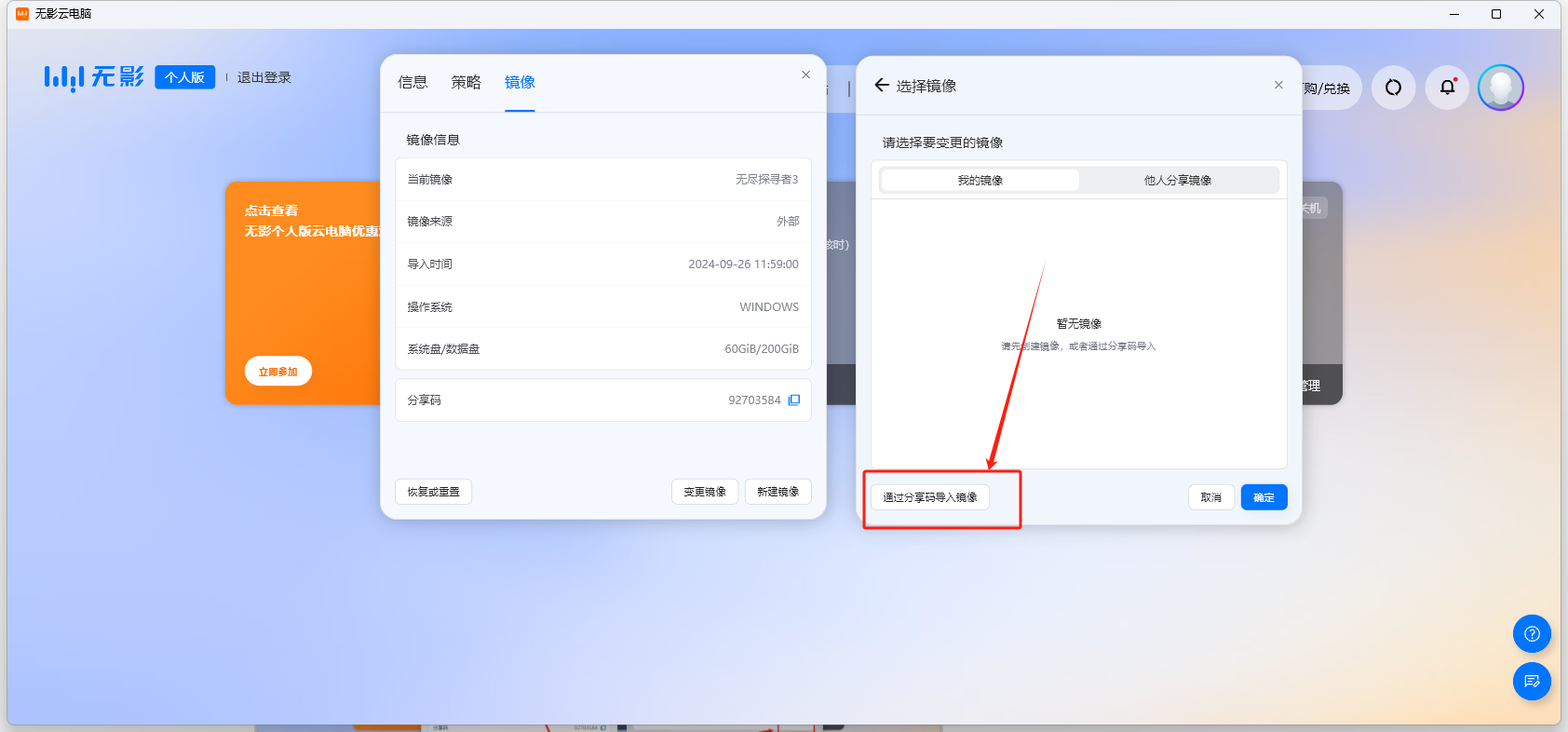
Step 3: Configure the cloud computer, select 【Import Image】 -input image sharing code 【 18109018 】 , select 【Esports Mode】 , click【Complete Configuration】.
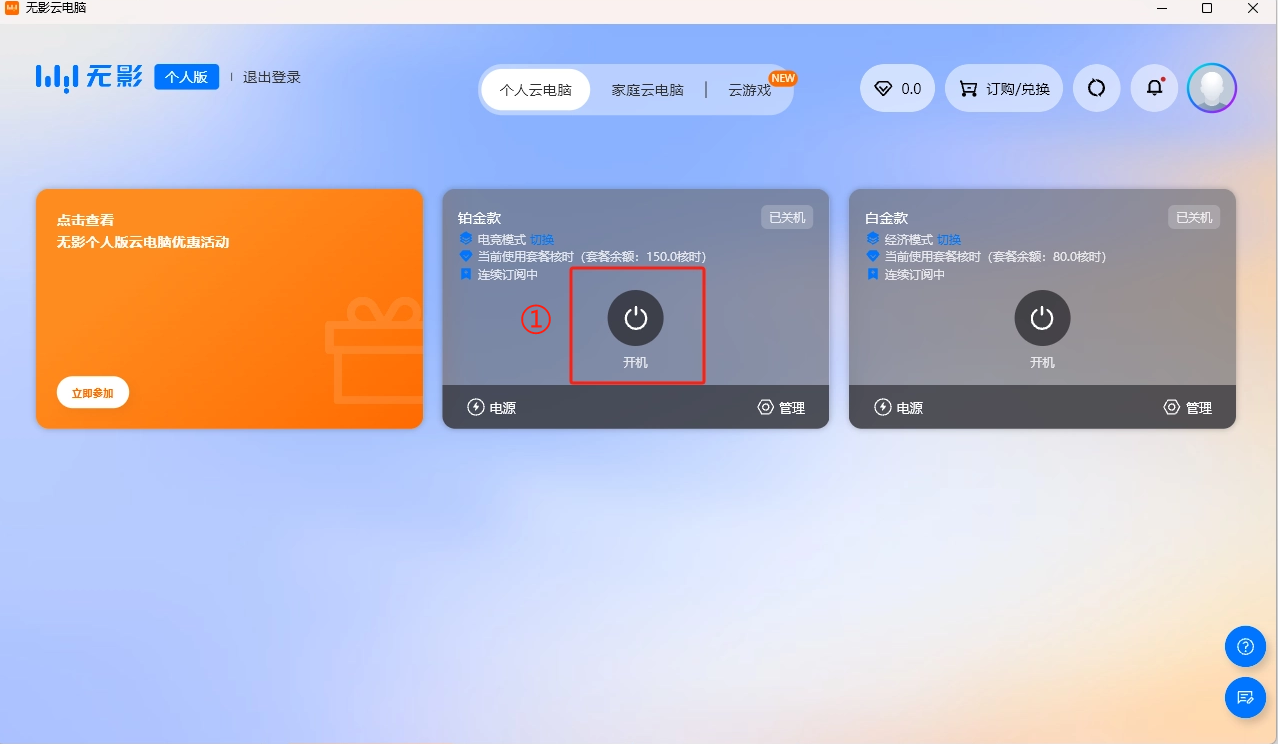
Click【Start】, Desktop opens 【Endless Explorer】, you can use it!

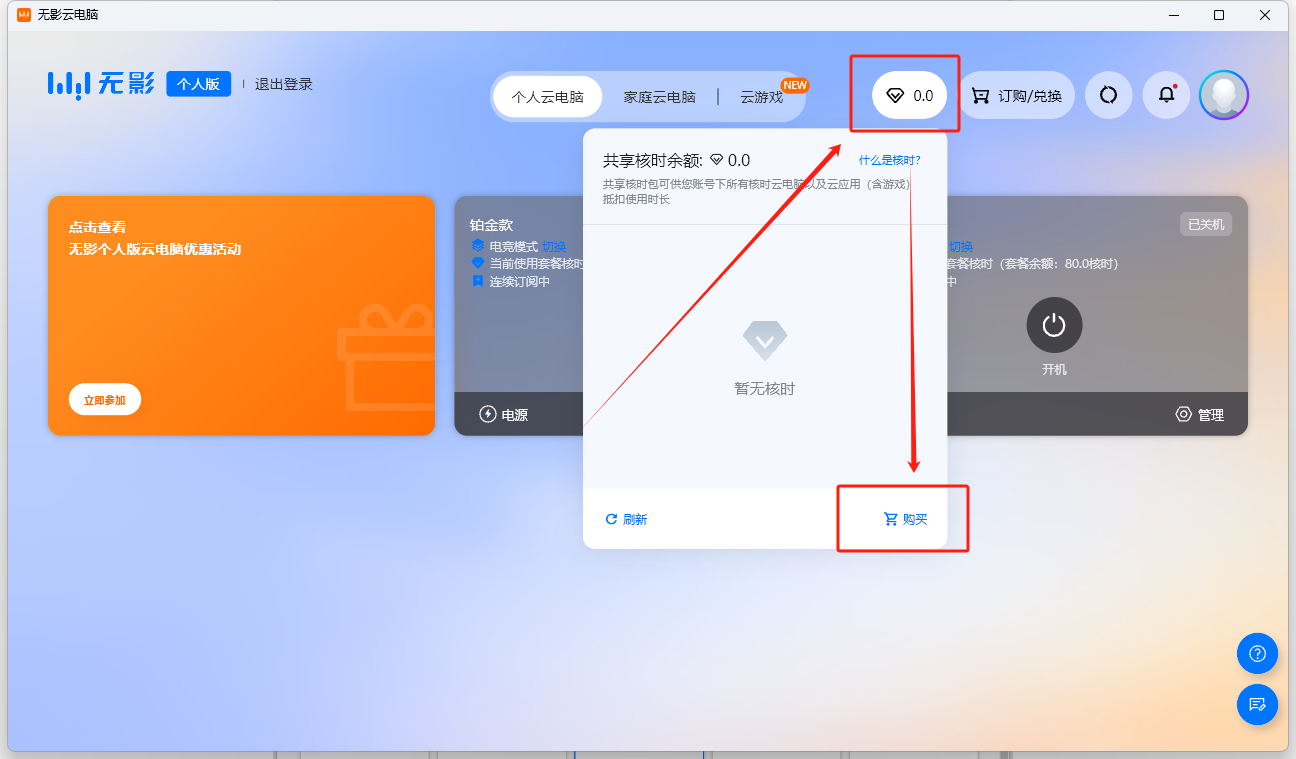
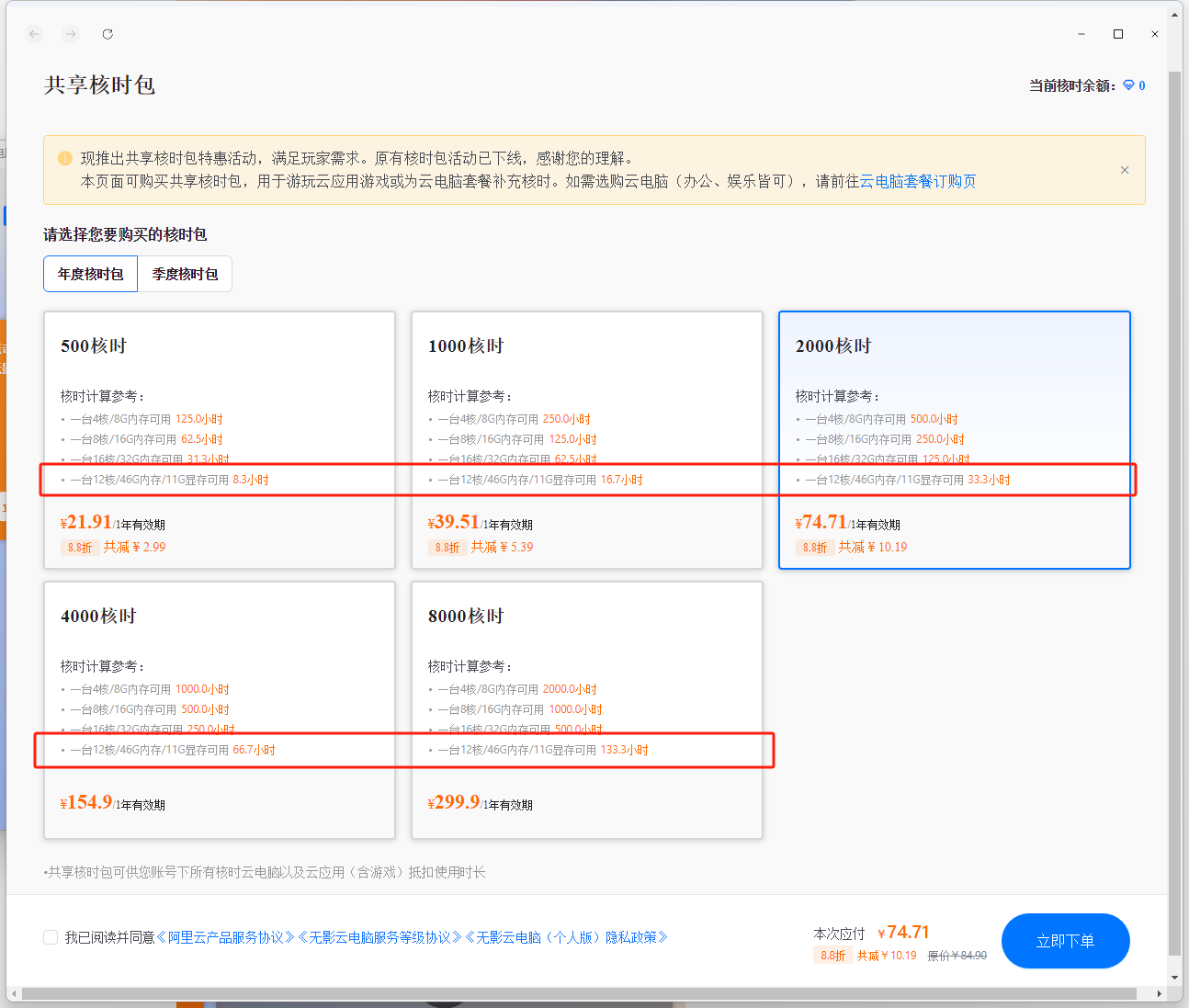
Help 1: Purchase core time package
Purchase Aliyun cloud computer package, the core time given is used up, you can purchase core time package separately. The cloud computer averages only 2.25 yuan per hour!
Help 2: Two methods to update the application
Method 1: Directly update in the cloud computer, open【Endless Explorer】launcher
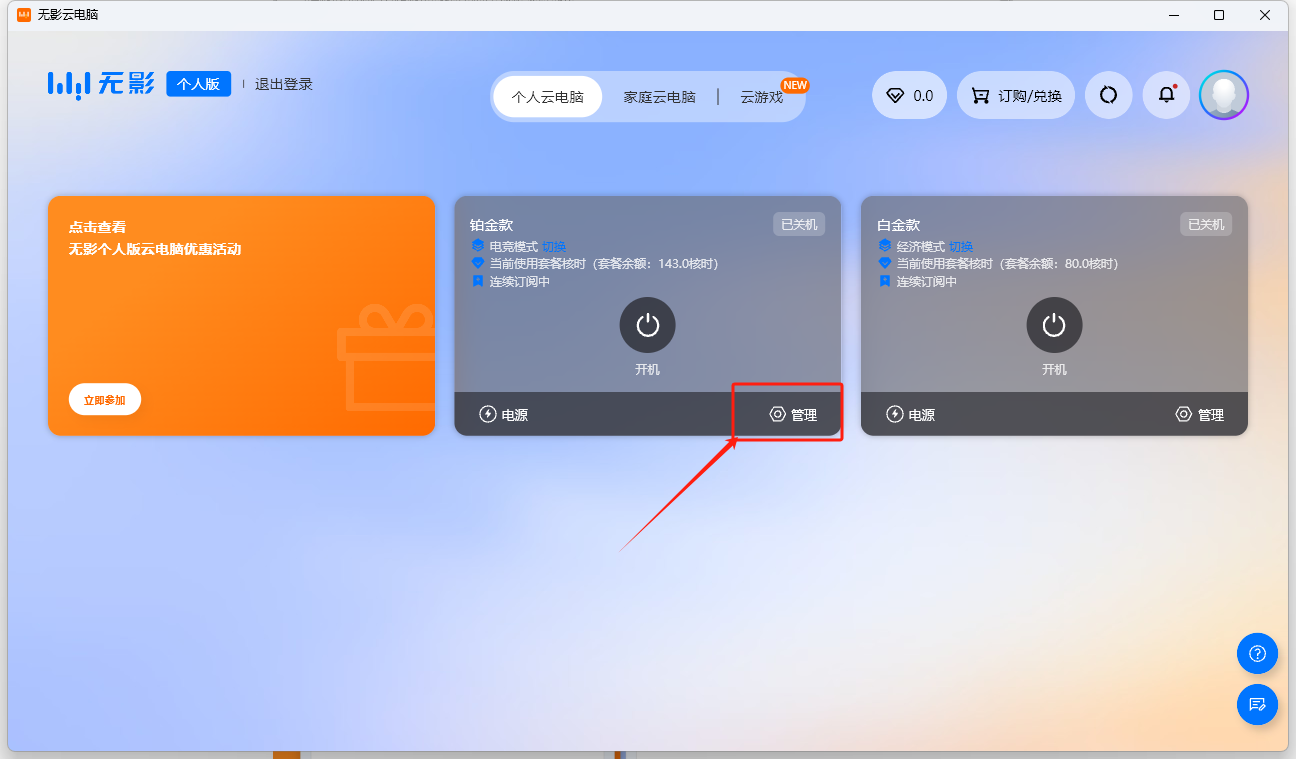
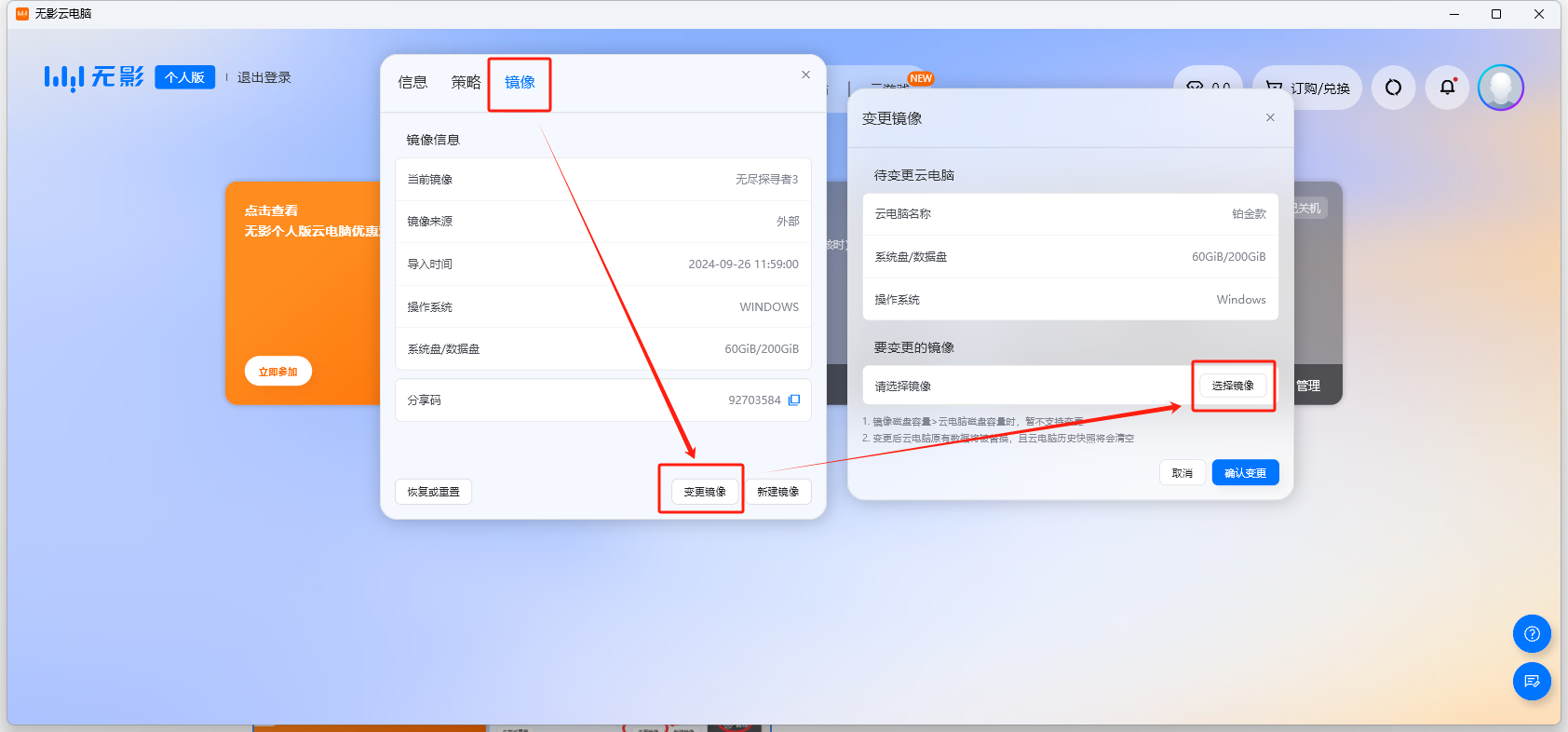
Method 2: Update the latest version image
 byykt6445、boya13520965293
  13520965293、15910683971
  service@edu-by.com